Getting started with PokeBonk
Find the original browser game, understand the main menu and prepare for your first session with a short, grounded starting checklist.
Open Charcher’s original game, check its version, read your partner’s profile and set up your controls. Use the menu to understand your options before chasing a build from a video.
Start at the original game
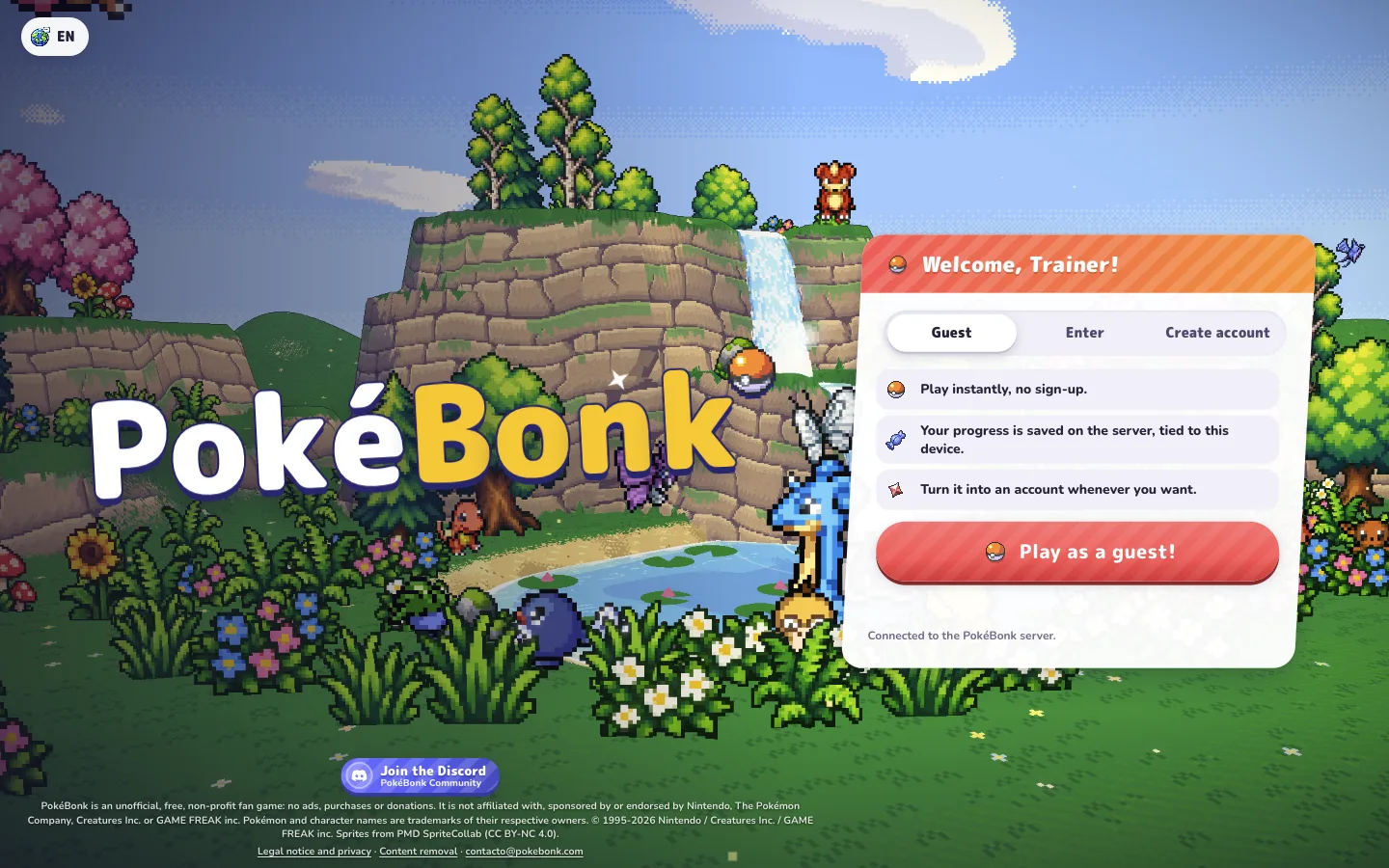
The game covered here is Charcher’s PokéBonk at pokebonk.com. The project notice describes a free, browser-only, unofficial Pokémon fan game. Pokebonk.cc is an independent guide site: the play link takes you to the original project.
Check the version beneath the logo when you arrive. Our menu reference is Beta v0.6.2, checked October 18, 2026. If the game has moved on, read its release history before relying on an older tutorial’s map or control layout.
Read the menu before starting a run
The main menu offers Classic and Survival, with Survival labelled Endless. Choose a mode and read its preparation screen before starting. Keep the selected mode in mind when following a tutorial or comparing your experience with another player.
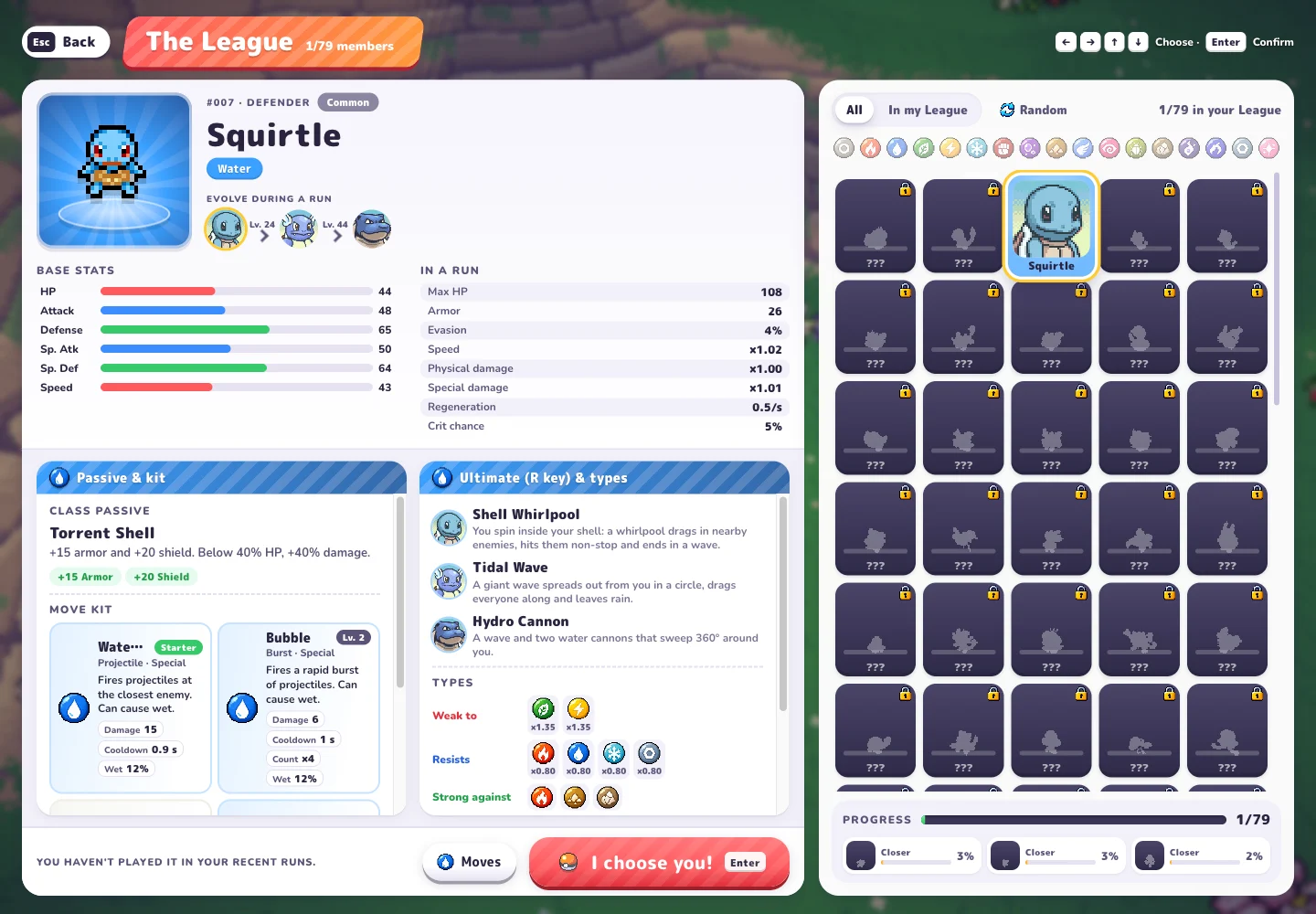
The Pokédex and The League are separate collections. During our check, their totals were 151 and 79 respectively. A Pokédex total is not a promise that every listed Pokémon is immediately selectable. Inspect the character’s own entry for the information available to your session.
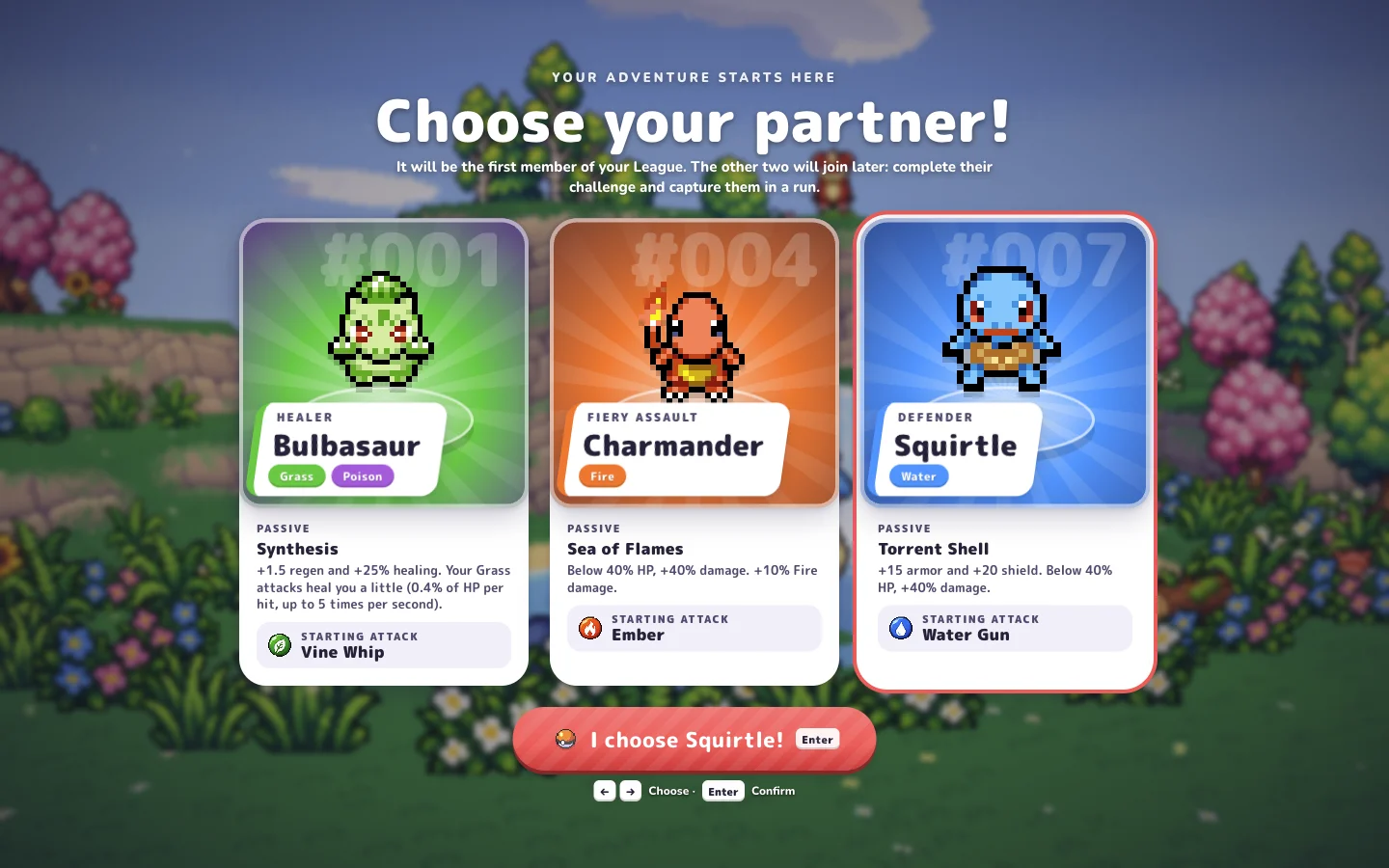
- Read a partner’s profile and starting move before choosing.
- Open Settings → Keys for your current bindings.
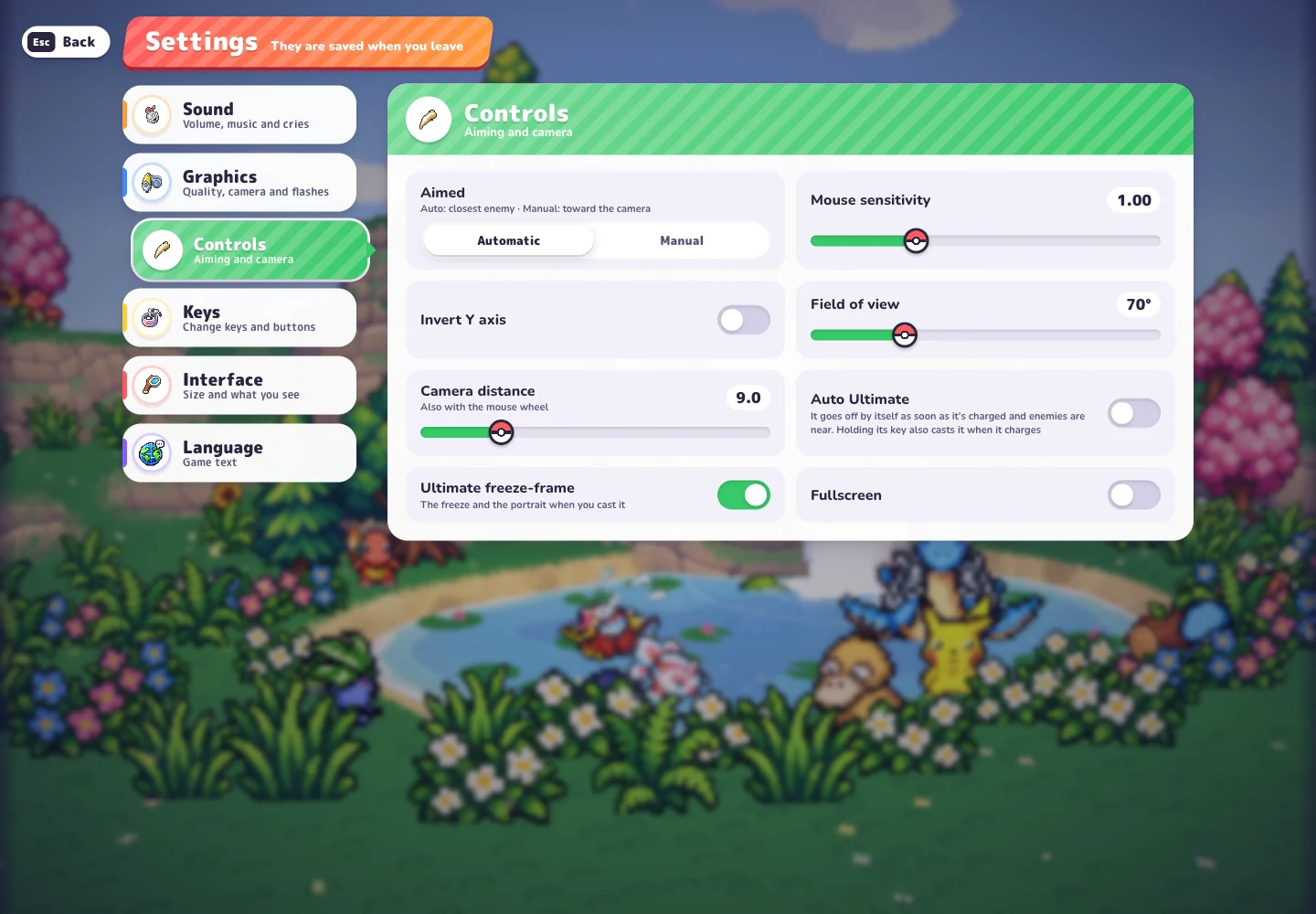
- Check Settings → Controls for aim and camera options.
- Keep your browser’s game data intact while learning.
Use a tutorial as a companion
CD喜德’s Chinese-language beginner tutorial, published October 17, has clearly labelled chapters: starting the game at 1:23, the character profile at 1:52, starter selection at 2:33 and a run overview at 3:07. These make useful places to look when you want a visual introduction alongside the menus.
Use these chapters to find the part you need without searching the full video. Compare the visible screen with your current game before following a detailed instruction, particularly for maps and controls that changed in recent updates.
Know where to look next
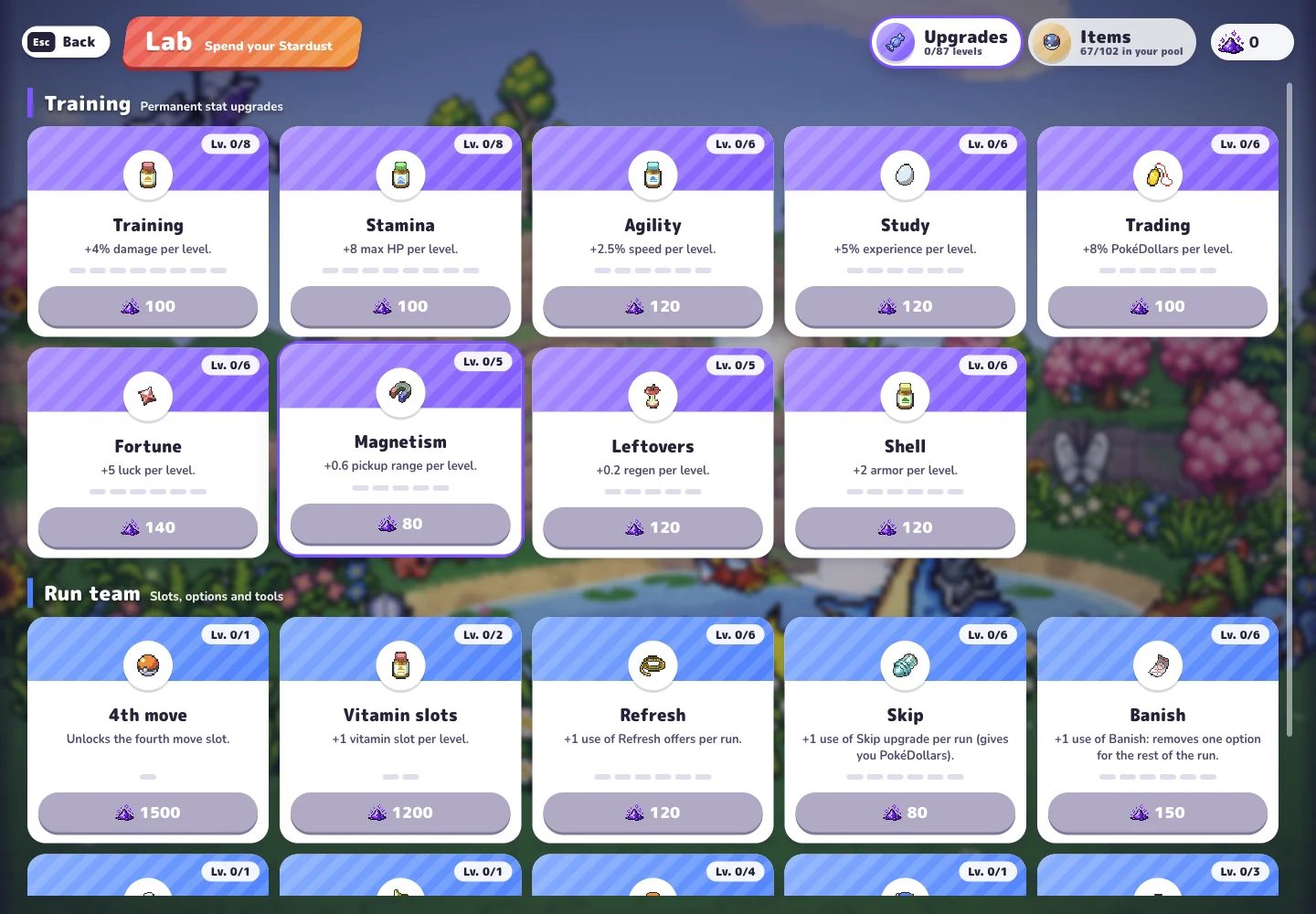
Visit Lab to read the Stardust-based permanent upgrade options, then return to the profile guide when you want to understand Squirtle’s displayed moves and evolution levels. Keep a specific question in mind: learning a setting or reading an upgrade is more useful than copying a complete build without its context.
Clan and Leaderboard also appear in the menu, and Clan requires an account when viewed as Guest. The creator describes clan scoring and individual rankings. Those features alone do not mean that players share a live cooperative run.
Watch the basics
CD喜德’s Mandarin tutorial covers partners, evolution, captures and the Lab. Published October 17, 2026.
The YouTube player loads when you select Watch.
Sources & notes
- PokéBonk — original game and in-game menus
Main menu, release history, Squirtle profile, Settings, Lab and a locked League #001 card inspected on October 18, 2026, in Beta v0.6.2. The locked card describes its challenge and the challenge → wild encounter → capture sequence. Menu evidence; challenge completion and capture were not playtested.
- Original project notice and credits
Charcher’s project identity, free browser-only fan-project notice, browser-local storage description and community destination. Checked October 18, 2026.
- Charcher on the game URL, clans and leaderboards
Creator post dated October 14, 2026. Describes clan competition and individual rankings; does not establish real-time cooperative play.
- CD喜德 — beginner tutorial
Chinese-language tutorial published October 17, 2026; 7:44. Metadata, description and chapters reviewed, not the full video. Recording version unconfirmed. Relevant chapters: start 1:23, profile 1:52, starters 2:33, run overview 3:07, Lab 5:51.
See how this guide uses sources. The original game may change after the date shown above.